
Setting up reviews


Customer reviews of your products or services are a must for any business. They can improve the quality of your work and make customers more loyal to you. But not all marketers see their value: they don't collect reviews, they only react to positive feedback and they don't work with negative feedback. This approach is a mistake, and you need to work with reviews.
Almost 90% of consumers read reviews before they visit a venue again or buy a company's service. Reviews build customer trust, tell people about the service in a natural way, help improve the product and bring more sales.
Customer reviews are the engine of your advertising campaign. It is worth posting them on your own channels: websites, social media, map pages, and also in the loyalty program. Yes, you can collect reviews with a digital loyalty system too. Now you can get your guests' reviews with the Loona.ai loyalty service as well.
In this article, we'll show you how easy it is to set up collecting reviews in the Loona.ai admin portal.
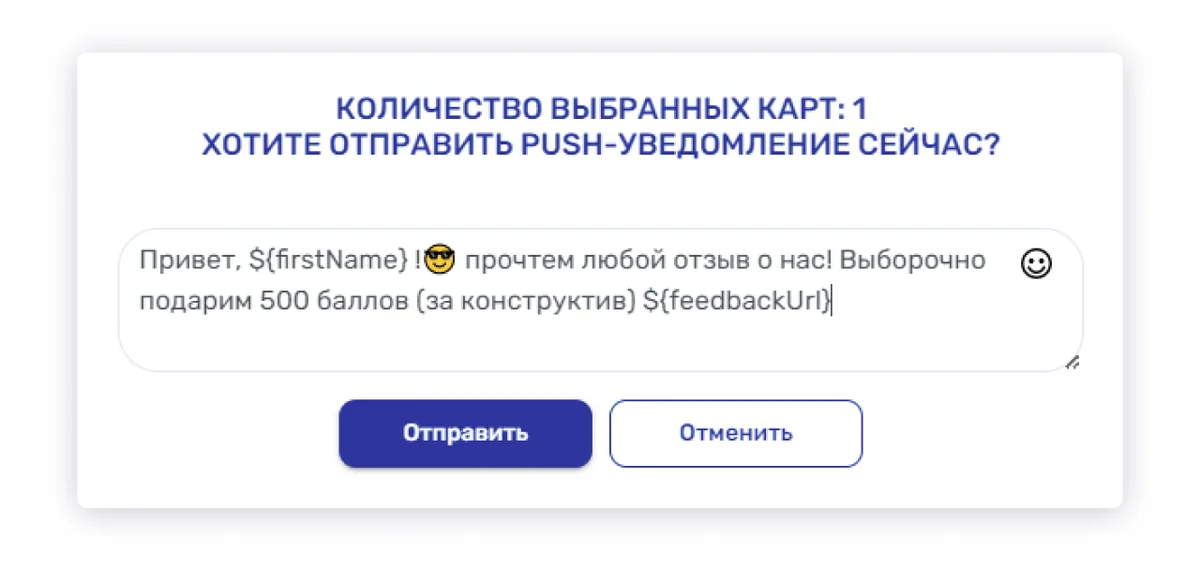
1. Send a manual push notification from the "Cards" section. For example, you can tell guests that you will give them points for reviews. You can do this in the Loona.ai admin portal, on the Cards - Reviews tab:
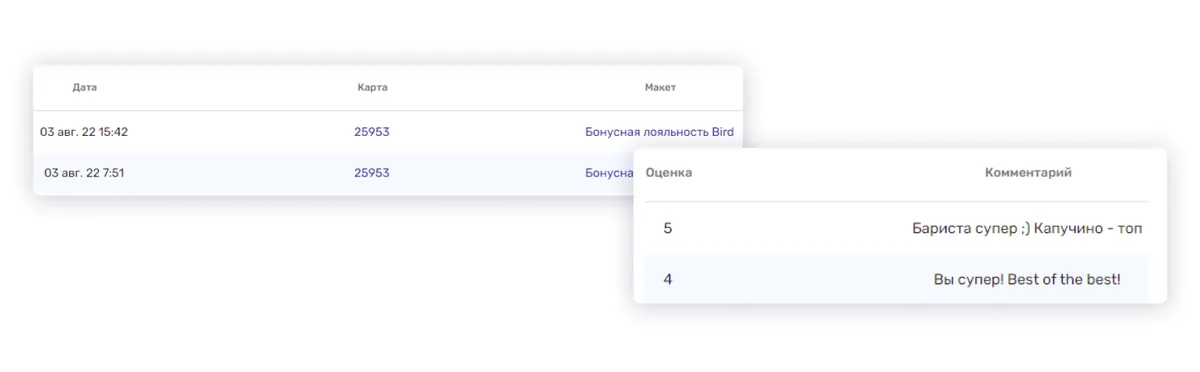
- find the review you want to thank the guest for
- click the card number
- in the "Profile" section at the bottom, change the balance by hand
Customer reviews are the engine of your advertising campaign. It is worth posting them on your own channels: websites, social media, map pages, and also in the loyalty program. Yes, you can collect reviews with a digital loyalty system too. Now you can get your guests' reviews with the Loona.ai loyalty service as well.
In this article, we'll show you how easy it is to set up collecting reviews in the Loona.ai admin portal.
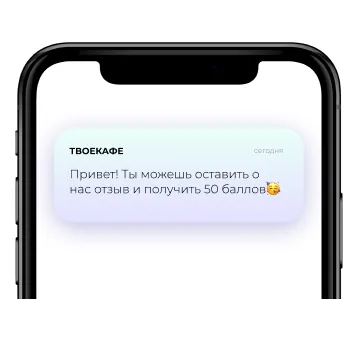
2. The second way to get reviews is the "Transactions" automation: the guest will get this text after every payment.
Write the push notification text in the Reminders section inside the "Transactions" automation (Marketing section). You can say that guests will get 50 points for it, but note right away that everyone will get them, not only those who left a review.
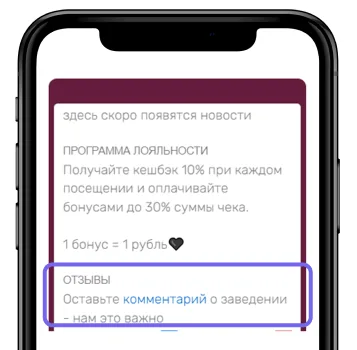
3. The third way to get reviews is a variable: you can add it to the back of the card.
Then the guest can open it at any time and leave a review. It looks like this (the word "comment" is clickable):
The setup takes 10-15 minutes, and the result shows in higher guest loyalty, a bigger average check and more sales. Reviews are a great addition to a loyalty program. Don't forget about them!