
Review after a visit: from issue to solution
How to ask a guest for a review after a visit in a neutral way, respond to an issue and check that the service got better. Sample messages and how the restaurant team works.


The booking show-up rate shows what share of bookings ended with a visit. To calculate it, take visit dates that have already passed and count each party's booking as one record. Count separately the visits that happened, cancellations, no-shows and records with an unknown outcome. Agree in advance which bookings go into the full list: this decides what exactly the percentage will show.
You can start with one venue and the past week. For the first check, a simple working spreadsheet without guest names and phone numbers is enough. It should show what happened with each booking and which outcomes you still need to confirm.
In this guide, the unit you count is one party's booking, not one person. If three people came for a booking for four, the visit for this booking happened. You can look at the gap between the expected and the actual number of guests separately; it should not quietly change the unit in the middle of the calculation.
Choose the period by the date of the planned visit. A booking could be made on Monday for Saturday: it goes into the check of Saturday's visits, not into the check of Monday. Bookings for future dates don't tell you anything about the show-up rate yet.
For canceled bookings, keep the date when the party planned to come before they canceled. This way a canceled Saturday visit stays among Saturday's outcomes, even if the guest told you about it in advance. Otherwise the very records you wanted to study can easily drop out of the list.
Next to the calculation, write down the location, the visit dates and when you did the check. For example: "Past week, one restaurant; outcomes confirmed after the last shift closed." If the team enters results later, choose a time that works for them and keep it for the next comparisons.
Take all real bookings for the chosen dates, including canceled ones. Remove test records and duplicates, but first make sure it really is a duplicate and not one more booking from the same guest. Then sort the records into four categories:
These are categories for your check, not the names of buttons or statuses in a specific system. Agree with the team which available records you use to confirm an outcome and who to ask about unclear bookings.
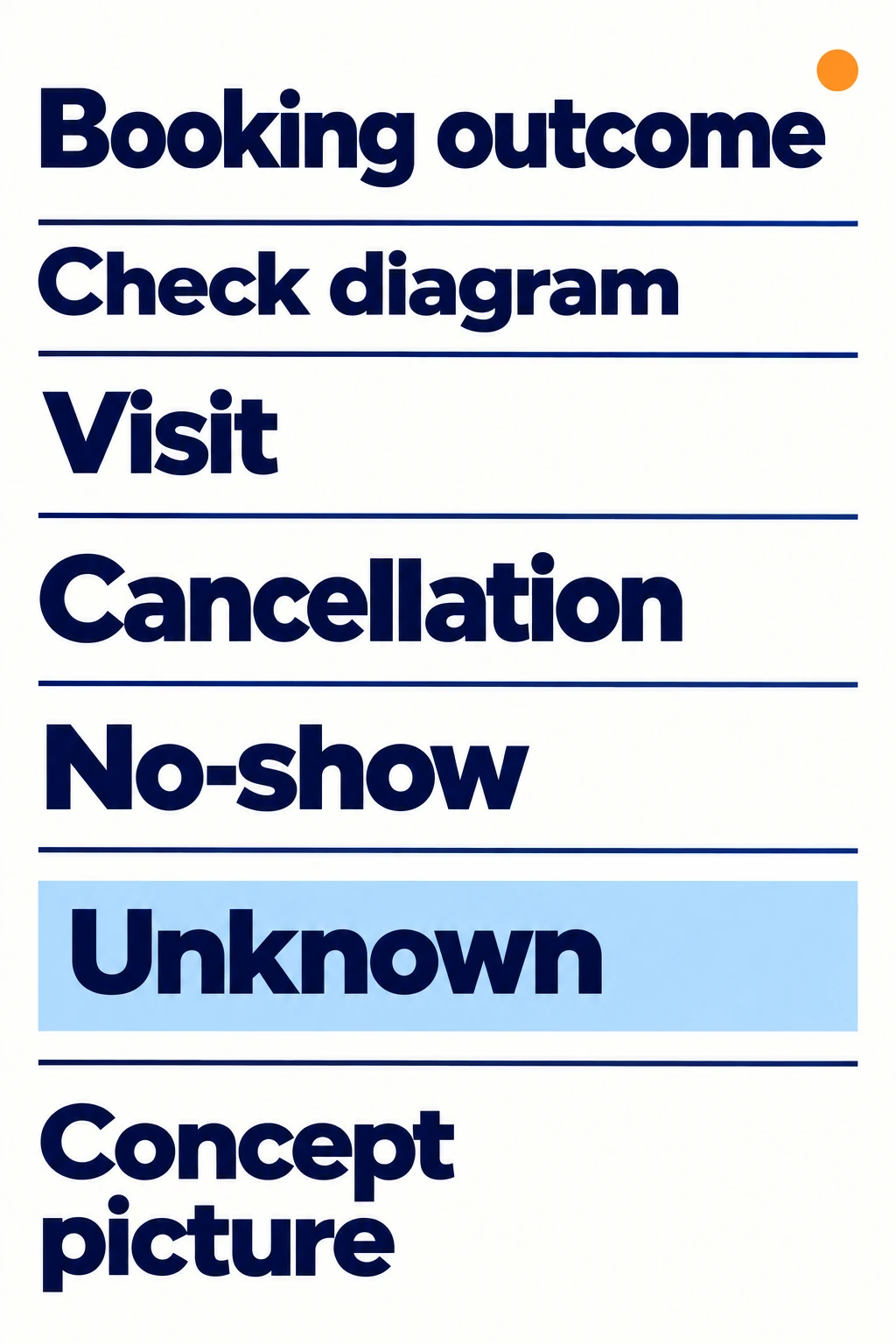
Our diagram of booking outcomes, not a screen from the admin portal. An unknown outcome needs to be confirmed, not automatically counted as a no-show.
An empty field doesn't prove that the guest didn't come. Check the outcome with the staff member in charge, using the shift's available records. If there is no confirmation, leave it as unknown and come back to it later. This way you will see the attendance problem and the record-keeping problem separately.
The four categories should add up to the number of bookings in the chosen list. If they don't, look for gaps and for records that got two outcomes at once. It's too early to calculate the percentage before this check.
For a rescheduled booking, use the last agreed visit date. If a party moved their visit from Friday to Saturday of the same week, count it once, for Saturday. Don't turn the Friday record into a separate no-show if it only existed before the reschedule.
If the new date falls outside the chosen week, take this booking out of the list of past bookings and put it in a separate note: "Rescheduled outside the period". For now, it doesn't count toward the base of this check. When the new date comes, the booking will go into the matching period. Keep this rule so that it's clear what's in the list next time you compare.
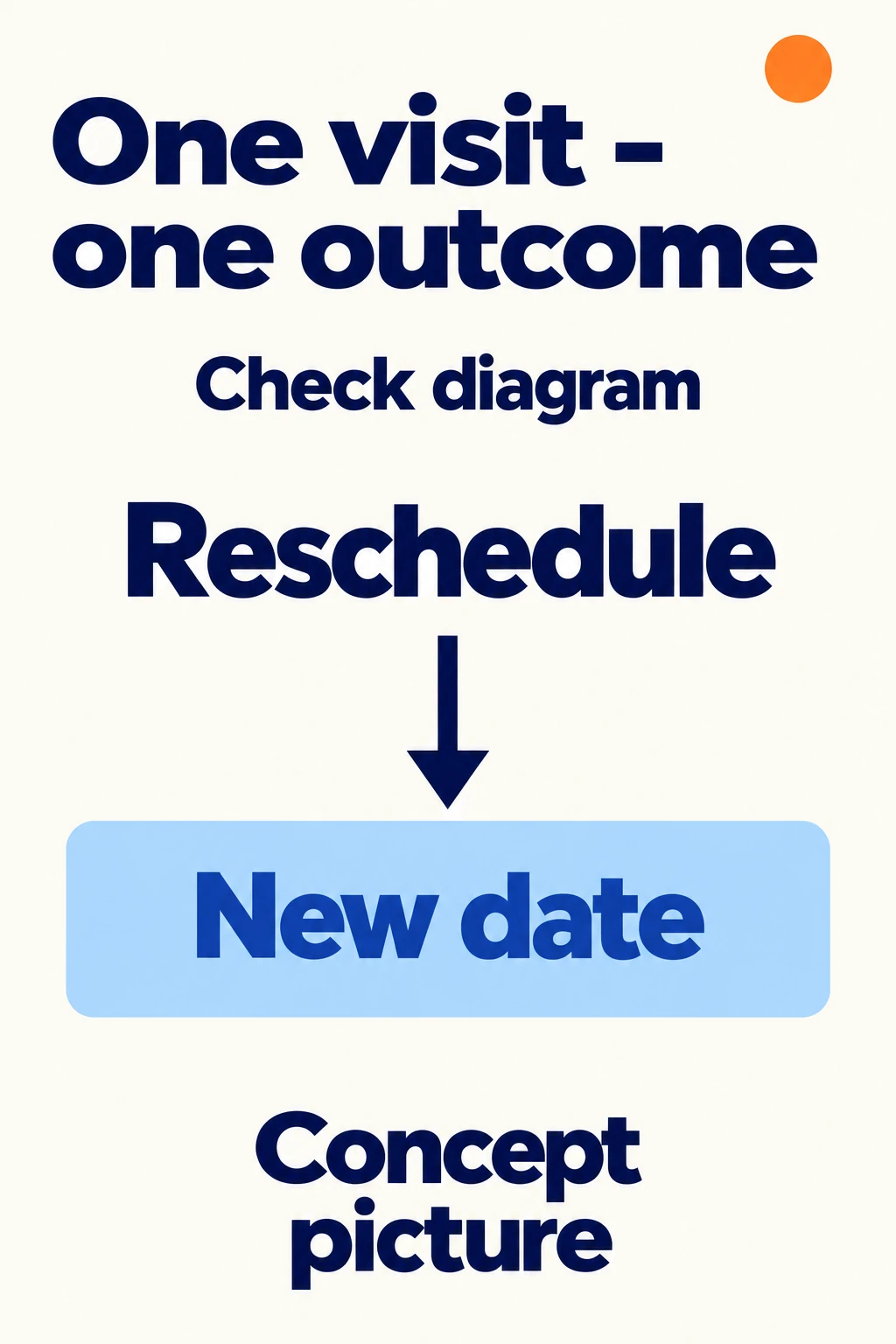
Our diagram of how to count a reschedule, not a screen from the admin portal. You need to check the link between the records; the diagram doesn't mean the system merges them automatically.
Sometimes a reschedule is saved as a new record, and the old one stays in the list. Trace this booking's history with the colleague who changed it. Don't merge records just because the contact is the same: the person may really have booked two different visits.
After sorting things out, save a short note on how you counted reschedules and duplicates. If you go back to an old week after new changes, mark that the calculation was revised and keep the earlier result separately. Otherwise people will compare different versions of the same period.
The base for the calculation, or the denominator, here is the number of all bookings in the list after you've sorted out reschedules, test records and duplicates. Calculate the share like this:
Share of bookings with a visit = number of bookings where the visit happened / all bookings in the chosen list × 100%.
Here the denominator includes cancellations, confirmed no-shows and unknown outcomes. Reschedules outside the period, test records and proven duplicates have already been handled separately. This is the rule we chose for this analysis, not a universal formula for every report.
A made-up example, not real restaurant data: after the check, 100 bookings are left in the list. For 70, the visit happened, 15 were canceled, 5 were confirmed no-shows, and 10 more have an unknown outcome. All the outcomes add up to 100 bookings. The share of confirmed visits: 70 / 100 × 100% = 70%. For 10% of bookings, the outcome is still unknown.
You can't yet describe this result as "the other 30% of guests didn't come": you counted parties' bookings, and some outcomes are unknown. After you confirm the records, the share may change.
If your report calculates the share only among confirmed bookings or only among records with a known outcome, that's a different base. Label it clearly and don't compare it directly with the share of all bookings. When the list is empty, the share is not defined: zero bookings doesn't mean a zero show-up rate.
If there are many unknown outcomes, first agree who confirms the visit result and when. While these records stay open, it's hard to explain a change in the show-up rate with confidence.
If the outcomes are filled in but there are many cancellations, look separately at when guests cancel and which reasons are actually recorded. For no-shows, go through the confirmed cases with the team. Don't pick a reason based on one overall percentage, and don't record a staff member's guess as the guest's answer.
Compare the next period using the same venue, the same unit, the same set of outcomes and the same rule for reschedules. Also check which days are in the period and any special events: a holiday week can be very different from a normal one. Next to the percentage, keep the number of bookings and the number of unknown outcomes.
A higher share does not prove on its own that reminders, a deposit or a new system helped. For that conclusion, you need a separate look at the conditions. There is a similar limit when you check whether a campaign brought guests in: recording a visit and finding its cause are different tasks.
Loona.ai's booking materials describe analytics on the total number of bookings, cancellations and guests who came. Which reports are available depends on the connected data, so it's worth agreeing with the team on a comparison method that fits your question.
To look into the show-up rate, ask them to show you which date is used to select records, how a completed visit is defined and how cancellations and reschedules are shown. Then check together a few bookings the team knows well: does the report match what happened in the dining room, and is the reason for each mismatch clear?
You can start with a request like this: "We want to check past bookings by visit date, see cancellations and unknown outcomes separately, and not count a reschedule twice." Discuss with the team what data is available for this and how you will check the result. For the first check, you can already write down the rule: one location, a past period, one party's booking and a clear outcome for each record.
How to ask a guest for a review after a visit in a neutral way, respond to an issue and check that the service got better. Sample messages and how the restaurant team works.

You can collect guest reviews with Loona.ai