
Restaurant guest retention programs based on CRM and automation
Guest retention programs work when you analyze and adjust them regularly. Restaurant management software gives the data, the CRM builds segments, and a CRM analyst checks the results.

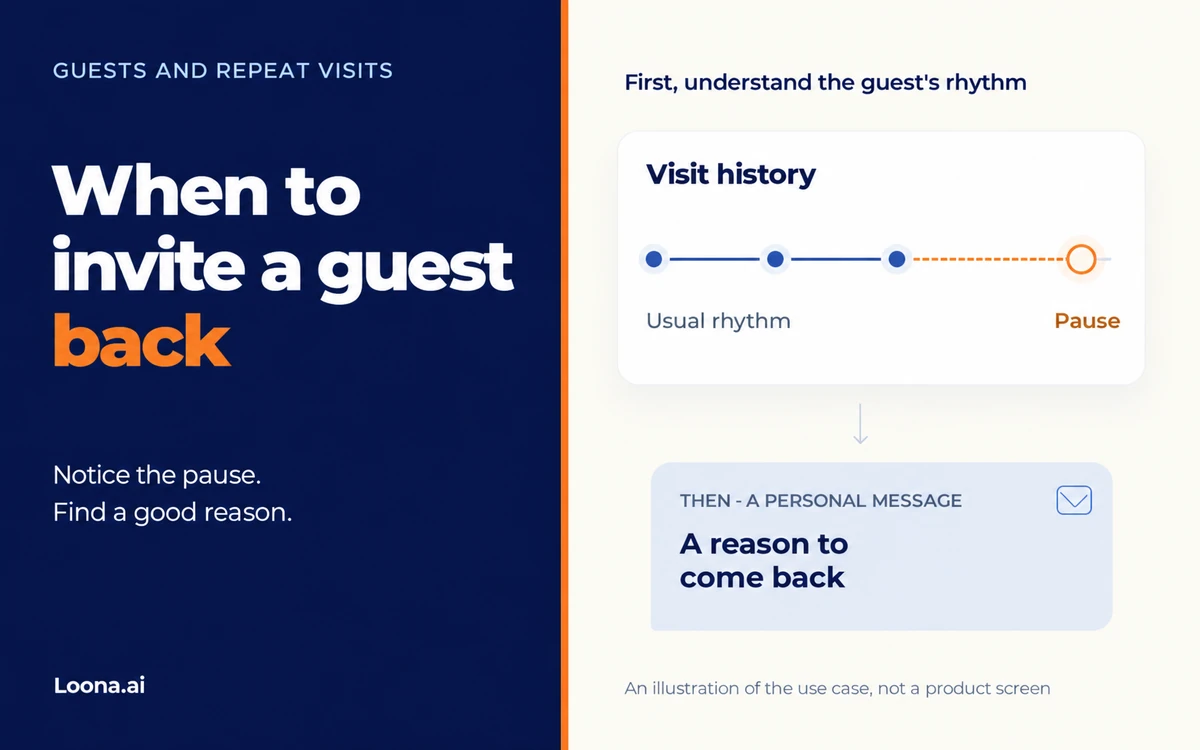
Between a shift and a delivery, you found a few minutes for your guest database. You can see that some regulars haven't come in for a long time, but you don't want to send everyone the same "we miss you". Start with a small group: see whose break has become much longer than before, and find a reason for them to come in now.
The date of the last purchase alone won't help much here. A guest who has lunch with you on weekdays and a group that meets for special occasions come at different rates. To decide who it's time to message, compare the pause with their past history, and then check that everything made it into that history.
Open the purchase history of a few regular guests. To start, pick those whose habits your team remembers well: it will be easier to tell if the person really comes less often.
Imagine two guests: one usually had lunch with you every week, the other came about once a month. Neither has been in for three weeks. It's already worth checking the first guest's history before you invite them; for the second, such a pause may still be normal. This is just an example, not advice to send messages after three weeks.
Focus on repeat visits. If there is only one purchase in the history, you can't see a past rhythm yet: here it is better to think separately about inviting them for a second visit.
Loona.ai CRM has guest profiles with their visit and purchase history, and segments for guest engagement. With them, you can build a group to review. Your team chooses the pause length for the first invitation based on the history you have.
For a first selection, you can compare purchase frequency over periods of the same length, then check the date of the last purchase for those who now come less often. If you need the big picture for the whole restaurant, guest retention metrics will help. Here, it's enough to decide whose pause already needs attention.
Before you choose a reason, open a few profiles from the group and check the last visits. Maybe the guest still comes, but their purchases stopped coming in after a change in the integration. This check decides whether you should send them a win-back invitation at all.
If you run a chain, look at the history you have for other locations. The person may have moved to a nearby restaurant. This matters if you want to invite them back to a specific venue; for the chain as a whole, they are still a guest.
If you're not sure, a review of the data in a single guest profile will help. For now, it's enough to make sure that it's the right person, purchases are coming in and you have included the locations that matter for your goal. If part of the history is missing, sort out the data first.
Sometimes the general manager remembers the reason for the pause: the restaurant was closed for repairs, the seasonal menu ended, or the usual lunches were stopped for a while. In this case, first choose what to offer instead. It would be strange to invite people to the old lunches if you no longer have them.
Take a reason from what the restaurant has already prepared: an updated lunch menu, a dish that is back, a tasting or a good time to meet. This gives the guest a reason to come in, and your team doesn't have to make up a promotion on the fly.
Someone who came for lunch may like news about the lunch menu; people who like evening get-togethers may like an invitation to an evening that suits them. Purchases won't tell you if the person moved away, changed jobs or just decided not to go to restaurants for now, so don't mention guesses about the reasons for the pause in your message.
You don't need a discount for the first invitation. You can start with useful news. If you still want to offer a free treat or points, estimate the costs in advance and agree with your front-of-house staff on who gets it, when, and how staff will apply it. Then the guest can use the offer without any questions on site.
If the guest has an open complaint, start by answering it. Let a staff member sort it out and contact the person: a regular promotion instead of an answer may sound as if the restaurant didn't notice the complaint.
In the message, name the restaurant, the reason to come in and the next step: for example, to look at the menu. The guest doesn't need to know which group you put them in, or explain why they were away.
Here is a sample text for a restaurant that has updated its lunch menu. The dishes and hours are made up for the example; before sending, put in your own, add the restaurant's name and a working link:
Good afternoon! Our restaurant has a new lunch menu: we added a seasonal soup and a choice of main dishes. We'll be happy to see you on weekdays from 12:00 to 16:00. You can see the menu at the link.
If the offer has a price or terms for getting a free treat, write them next to it. Then the person can decide right away if the visit works for them. Only promise what your team is ready to do. If you don't have a good reason yet, you can put off the invitation.
To send it, choose an available channel where the guest has given marketing consent, and give them a clear way to opt out. A phone number in the profile alone is not consent. Also check what messages this group has already received: you may want to reschedule your invitation so it doesn't arrive right after another promotion.
Write down who you send the message to and what pause you chose for the invitation. Choose how long to watch the results based on these guests' past rhythm: it will be different for weekday lunches and rare evening get-togethers.
After sending, see how many people came, what they bought and how much the messages and the offer cost together. If you have enough guests and data, compare the result with a similar group that got no invitation, keeping in mind the season and other promotions. A purchase after a message doesn't by itself mean the guest came back because of it.
In Loona.ai Analytics, you can see visits, purchases and frequency; what the reports include depends on the data you connect. For the first review, write down the period you chose and who is in the group: then, when you check again, you won't mix its result with purchases by other guests.
When you understand which reason works for these guests, you can discuss Marketing Automation. Triggers, channels and sending conditions are agreed on during setup. If you choose a points automation with an end date, check the guest's other promotions before promising it in the message: Loona.ai's time-limited triggers don't run at the same time for one guest. For example, active welcome points may get in the way of another time-limited offer.
For today, you can stop at one small group. If the pause is much longer than usual, you have checked the history you have and prepared a reason, an invitation makes sense. If purchases may be missing, sort out the data first. And give time to a guest who still fits their usual rhythm; it's also better to hold off on an invitation if you don't have a good reason.
Guest retention programs work when you analyze and adjust them regularly. Restaurant management software gives the data, the CRM builds segments, and a CRM analyst checks the results.
Today, restaurant management software is linked to marketing. If it only records sales and doesn't collect guest data, you lose the chance to manage visits.
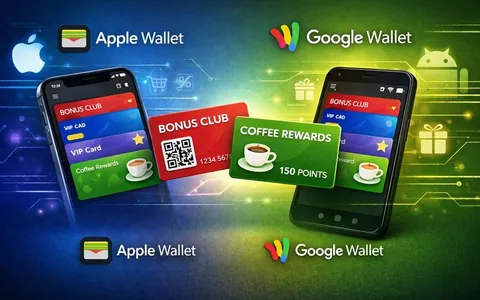
Digital cards for Apple Wallet and Google Wallet do the same job: give the customer a handy loyalty card on their phone